How to choose a mini projector
Mini projectors all promise a cinema at home. These are the six things that decide whether you get one.
1. Brightness: look for ANSI lumens
Brightness decides when you can watch. Look for a figure in ANSI lumens, a standard way of measuring the light that reaches the screen. Other "lumen" numbers on projector listings are measured in different ways and are not comparable with ANSI figures.
- Around 200 ANSI lumens suits dark rooms: evenings, bedrooms, closed curtains.
- Around 400 ANSI lumens copes better with a little light in the room and with bigger pictures.
Whatever the figure, a projector always looks best in a dark room. Darken the room before you buy a brighter projector.
2. Resolution: "supported" is not the same as native
"4K supported" or "1080p supported" means the projector can play a 4K or 1080p video. It then shows it at its own native resolution. That's normal for mini projectors; just compare like with like.
3. Picture size and distance
Picture size depends on how far the projector is from the wall and on its throw ratio. Measure your room first: the distance from where the projector will sit to the wall, and how wide the blank wall is. Our screen size and distance guide shows how to work it out.
4. Keystone, focus and zoom
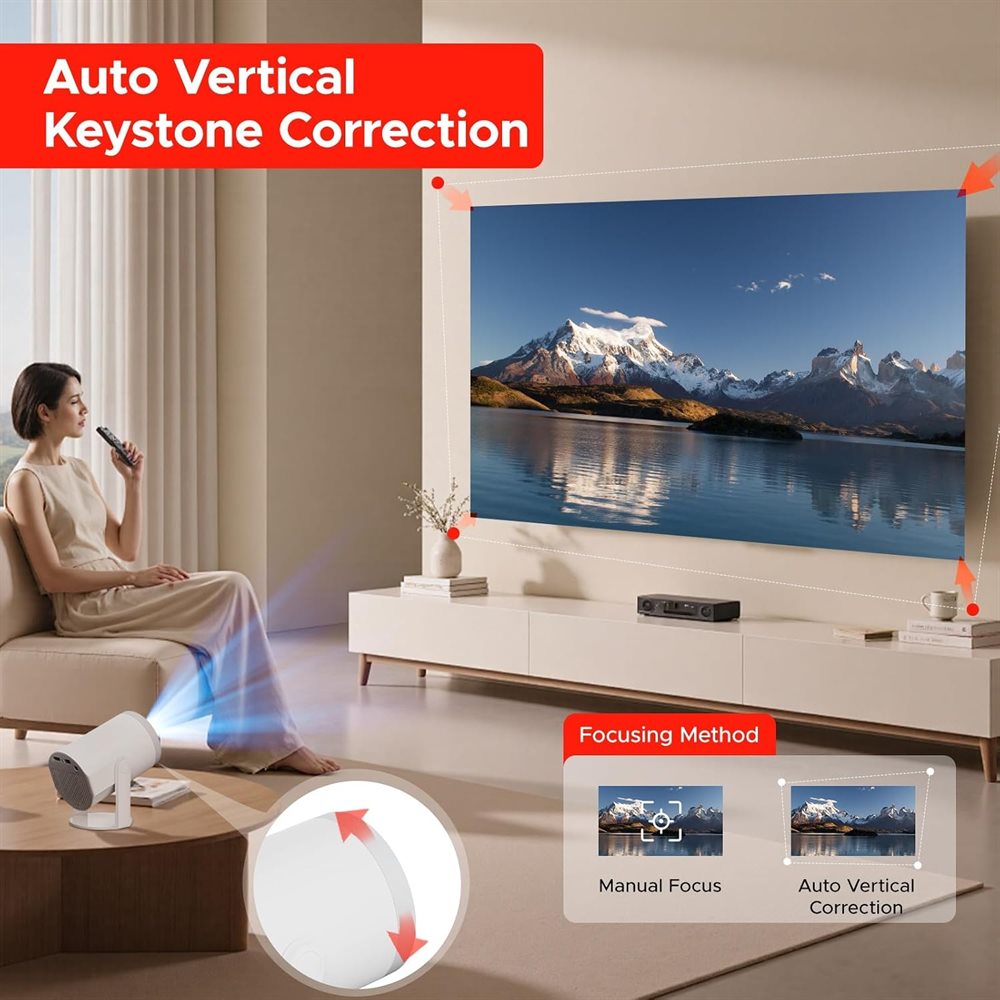
If the projector isn't level with the wall, the picture becomes a trapezoid. Keystone correction squares it up; automatic keystone does it for you. Focus makes the picture sharp, by hand or automatically. Digital zoom shrinks the picture to fit the wall without moving the projector.
5. Smart system and apps
A smart projector runs apps itself, so you need only WiFi. Check the system version (for example Android 14) and the WiFi type: WiFi 6 and 5 GHz WiFi stream more steadily than older 2.4 GHz-only WiFi.
6. Connections and sound
- HDMI for a games console, laptop or TV stick.
- USB to play films and photos from a memory stick.
- Audio out or Bluetooth for a speaker, soundbar or headphones. Built-in speakers are fine for a bedroom; a separate speaker makes a big difference for films and parties.
Which Visyon fits?
| If you want… | Choose |
|---|---|
| A compact projector for a bedroom or ceiling viewing | Turn 1 |
| Sound built in, Bluetooth 5.4 and digital zoom | HY300 Ultra |
| The most brightness: 400 ANSI lumens | J500 |
Updated 6 November 2026